What it is
Reviews AI agents write replies to your reviews. This update adds four sets of controls to each agent, so replies stay on brand and risky ones get a human look first.
Brand voice
Reply as "We" or "I", set your business name, pick tone traits, cap the length, and choose a sign-off.
Quality guardrails
The agent can remember recent replies, avoid repeating the same opening line, and steer clear of refund promises, guarantees, admitting fault, liability statements, and medical or financial advice.
Hold sensitive reviews
Higher-risk reviews can wait for a person to approve the reply before anything is posted.
Live preview
See sample replies to a positive, neutral, and negative review before you save, and regenerate as you adjust.
Who it's for
Any business that gets steady reviews and wants every one answered without saying something it regrets.
- Med spas & clinics
- HVAC, plumbing & roofing
- Real estate agents
- Pool & junk removal
- Multi-location businesses
Set it up in TraxionLab
Open your Reviews AI agent, set the voice, turn on the guardrails, and preview before you save.
Part 1 · Open your agent
Log in at app.traxionlab.com, open Reputation, click Settings, then Reviews AI in the left menu.
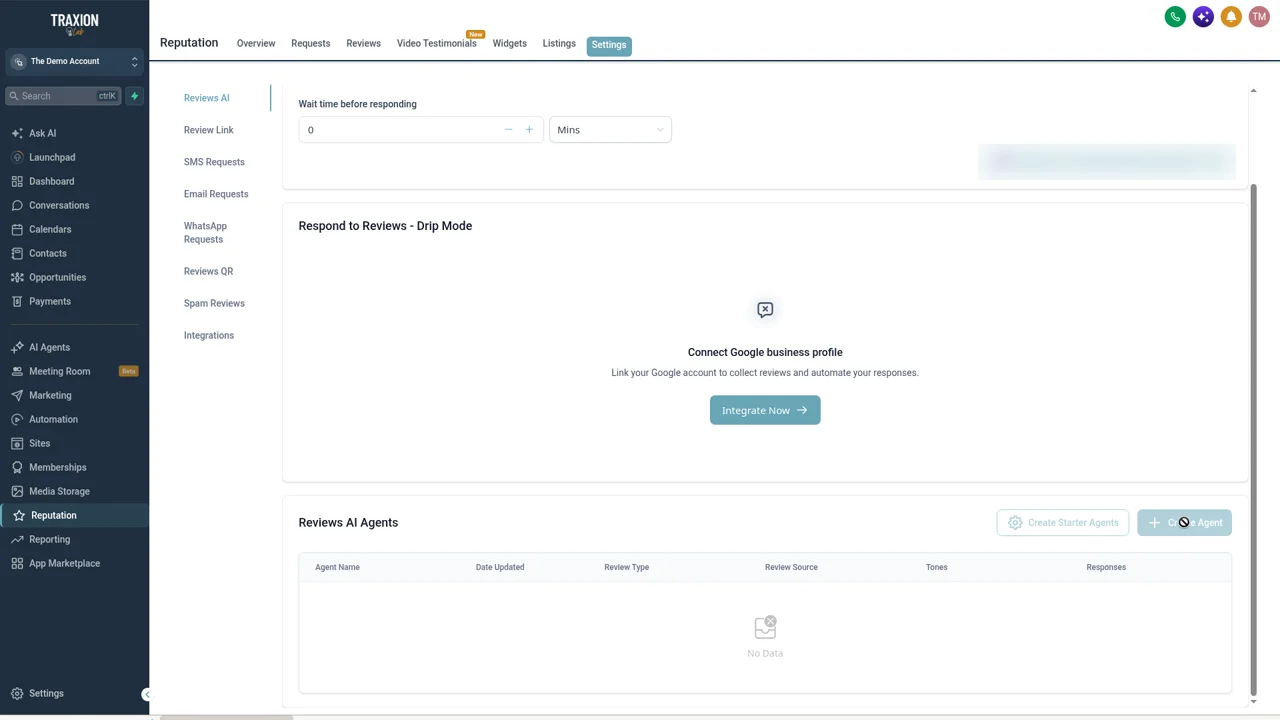
Scroll to Reviews AI Agents and click Create Agent (or Create Starter Agents), or edit the agent you already use.
Check in your account: Both buttons stay greyed out until your Google business profile is connected. Click Integrate Now on the same page to connect it.
Part 2 · Set the voice
In the agent's brand voice settings, choose "We" or "I", enter your business name, pick two or three tone traits, set a length limit, and add a sign-off.
Check in your account: The brand voice options sit in the agent's settings. Field names may differ slightly in your account.
Part 3 · Turn on the guardrails
In the agent's quality guardrails, turn on the controls to remember recent responses, avoid repeating the same opening, and avoid risky language.
Turn on the option to hold sensitive reviews, so higher-risk reviews wait for a person to approve the reply.
Part 4 · Preview and save
Check the live preview for a positive, a neutral, and a negative review. Regenerate until it sounds right, then save.
A real-world example
A med spa with a one-star review
A med spa gets a one-star review saying a treatment didn't work and asking for money back.
Before
An auto-reply could have apologised, offered a refund, or commented on the treatment.
Guardrails
With risky-language guardrails on, the agent avoids refund promises, fault admissions, and medical advice.
Hold
With sensitive-review holds on, the reply waits for the owner to read and approve it.
Everyday
The five-star reviews still get warm, short replies right away, signed the way the owner chose.
Tips from our team
- Pick two or three tone traits. A long list tends to produce bland replies. Warm, plain, and professional is a good start.
- Keep positive replies short. Two or three sentences reads as real. A paragraph reads as automated.
- Decide who approves held reviews. A held review nobody reads for a week is worse than no hold at all. Name one person.
- Preview all three sentiments. A voice that works for a five-star review can sound off on a complaint. Check both before you save.
FAQ
Your quick win this month
Turn on the guardrails today
Open your Reviews AI agent, turn on the guardrails and sensitive-review holds, and run the preview. Or we can tune it with you on a short onboarding call.
Works best alongside
Reviews AI is part of TraxionLab's reputation tools.